
Kids Learn to Sort
Intellijoy Educational Games for KidsEducational
3.93.00 Reviews
- Version
- 1.5.2
- Installs
- 10.00K
- Age Rating
- Everyone
Screenshots
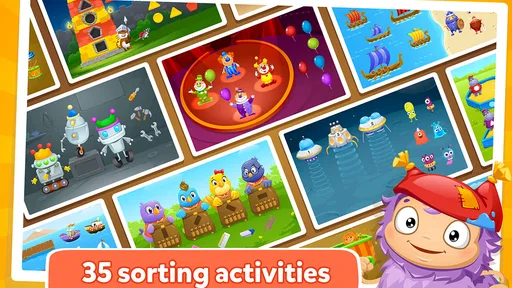
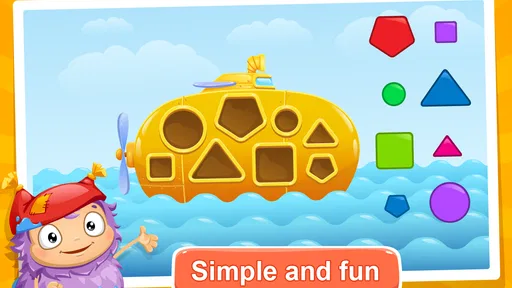
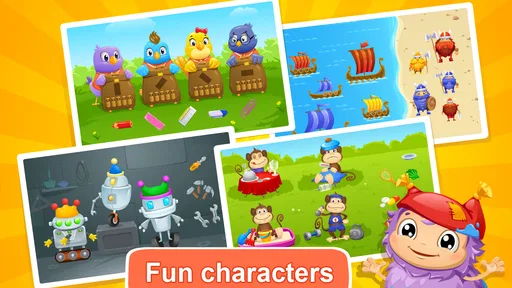
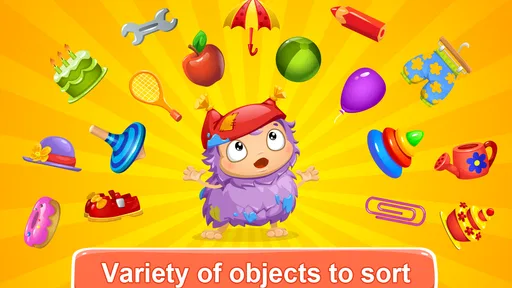
Our Review of Kids Learn to Sort
 Analysis by Appyee
Sorting looks simple to an adult, but for a preschooler it is a useful little workout for attention, visual comparison, and early reasoning. Kids Learn to Sort turns that idea into a focused educational game from Intellijoy Educational Games for Kids. I found its appeal in the directness of the activity: a child looks at items, decides where they belong, receives a response, and can try again without needing to understand a complicated interface.
This is a paid game rather than a broad free collection, priced at $2.99, and it is aimed at Everyone. It belongs firmly in the preschool learning category, so I would approach it as a short practice tool rather than a game intended to occupy a child for a long afternoon. The current version is 1.5.2, and it runs on operating systems from 7.1 onward.
Its average rating is 3.9 from over a hundred ratings, with a small number of written reviews. That combination suggests a modest but real audience rather than a heavily discussed app. The game has passed ten thousand installs, which is enough to show that its straightforward concept has found families looking for early-learning activities.
How the sorting loop feels in everyday use
I find the sorting loop most useful when I treat each turn as a chance to notice, not just to get the placement right. Sitting nearby, I can give a child time to compare the item and the groups, then invite them to explain their choice in their own words. That small pause helps me see whether the rule is making sense before we look at how to make a session easy to start.
The first action is immediately understandable
The best part of this game is that the central action does not need much explanation. A child can begin by examining the objects on screen and working out which ones belong together. That matters with preschool software: if the first minute is spent learning menus, the educational purpose gets buried. Here, the sorting idea is the starting point, not something hidden behind several layers of navigation.
I would introduce it by sitting beside a child for the first round, not because the controls are necessarily intimidating, but because talking through the decision makes the exercise more valuable. Instead of saying only “put that there,” I would ask, “What do these two have in common?” That small change turns a tapping activity into a conversation about color, shape, kind, or another visible quality being used in the exercise.
The game works particularly well for children who enjoy arranging toys, matching socks, grouping blocks, or separating objects during play. It gives those familiar habits a defined screen-based form. A child who is still developing confidence may also appreciate that the task is concrete: there is one object to consider and one destination to choose, rather than a large puzzle with many rules at once.
There is a useful trade-off here. A narrow activity can feel calm and approachable, but it may also feel repetitive to a child who already sorts confidently. I would not choose this as the only educational game for an older preschooler who wants stories, drawing, counting, or open-ended discovery. Its value comes from staying with one early skill and giving that skill room to become comfortable.
Feedback keeps the decision visible
Sorting practice depends on feedback. If a child moves an item and cannot tell whether the choice was sensible, the activity becomes guesswork. In my experience, the useful rhythm is the connection between action and response: the child makes a placement, sees what happened, and understands whether to continue or reconsider.
That rhythm is more important than flashy presentation. Preschoolers often need a clear consequence before they can explain a rule in words. A well-timed response lets them notice patterns through repeated attempts. When the choice works, the child gets a reason to continue. When it does not, the mistake becomes information rather than a dead end.
I would still avoid correcting every move verbally. Adults can easily turn a child’s independent exercise into a test by announcing the answer too quickly. A better approach is to wait, let the game respond, and then ask the child to look again if needed. The screen handles the immediate response; the adult can help the child describe the reasoning afterward.
One practical strength is that the feedback loop supports short attention spans. A child does not have to remember a long sequence of instructions. The current item creates a small decision, and the result leads naturally to the next one. That makes the app suitable for a quiet transition before dinner, a brief activity while traveling, or a few minutes when a parent needs a structured task rather than passive video.
The limitation is that feedback alone does not guarantee understanding. A child may learn to place items by trial and error without being able to explain the category. If the goal is language development as well as visual sorting, I would pair the game with real objects. After a round, place three household items on a table and ask the child to create a group and explain the rule. The app provides the prompt; the conversation supplies the deeper learning.
The reward is another attempt, not just completion
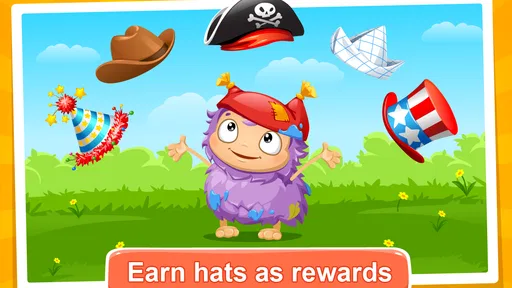
For this kind of preschool game, the most useful reward is a feeling of progress. A child makes a decision, receives a positive response, and sees that another item is ready. That sequence creates a gentle reason to continue without requiring a complicated story or competitive score.
I like that structure for younger children because it keeps attention on the skill. The child is not being asked to manage an inventory, protect a character, or understand a large map. The reward is tied to the act of noticing and grouping. That makes the experience easier for a parent to supervise and easier to connect with a learning goal.
There is also a subtle emotional benefit when mistakes are treated as part of the activity rather than as failure. Preschoolers can be sensitive to getting things wrong, especially when an adult is watching. A sorting game is at its best when the child feels free to test an idea, observe the result, and try a different arrangement. I would praise the process—“You looked carefully at both groups”—instead of praising speed.
Families should keep expectations realistic. This is not the sort of reward system that replaces a full game’s progression, and that is probably appropriate for its educational purpose. Children who need characters, narrative surprises, or increasingly elaborate challenges may lose interest sooner. In those cases, a broader early-learning suite could offer more variety, while this app remains useful as a targeted sorting station.
A simple routine can make the reward more meaningful. Let the child complete a small activity, then ask them to find one example of sorting in the room: spoons and forks, large and small blocks, or books arranged by size. The screen-based success becomes a bridge to everyday observation. That is one of the strongest ways to avoid treating the app as an isolated tapping exercise.
Resetting makes short sessions practical
Preschool learning usually works better in small, repeatable sessions than in one long sitting. The reset is therefore part of the design experience, even if it is not as exciting as the sorting itself. Once a child has finished a round, the useful question is whether they can begin again without confusion and whether the next attempt still feels like practice rather than punishment.
I would use the game in a simple cycle: one session after breakfast, another on a different day, and a real-world sorting task between them. Repetition matters, but repeating the same screen immediately for too long can turn concentration into fatigue. If the child starts rushing, tapping randomly, or asking to leave, I would stop rather than pushing for a perfect result.
The reset also gives parents a chance to adjust the support they offer. On the first attempt, I might name the objects and ask guiding questions. On the next, I would stay quiet and let the child make the decisions. Later, I would ask the child to explain the grouping before placing anything. The app remains the same, but the adult’s role changes as confidence grows.
This is where the game is more useful than a worksheet for some children. A paper activity can be effective, but it usually requires printing, preparation, and an adult to check the result. Here, the child can return to the task with less setup. On the other hand, a worksheet or physical objects may be better when screen time is already high, when a child needs fine-motor practice with real materials, or when the parent wants to see the child invent their own categories.
I would also consider the child’s developmental stage. A beginner may benefit from the immediate structure and repeated choices. A child who has mastered basic grouping may need a more flexible challenge, such as sorting objects in two different ways or explaining an unusual category. In that situation, the app can remain a warm-up, but it should not be treated as a complete progression through early logic skills.
Who will get the most from it
I see this game as a good fit for parents who want one clearly defined preschool activity without the distractions of a large entertainment package. It is especially suitable for a child who enjoys matching and grouping, needs practice following a simple visual rule, or benefits from repeating a task until it feels familiar.
It can also work for grandparents, childcare providers, and teachers who need a quick individual activity. Because the central idea is easy to describe, an adult can observe the child’s approach rather than constantly operating the app. That makes it useful for noticing whether a child recognizes a category, changes strategy after an error, or simply guesses until the response tells them what to do.
I would skip it if the main goal is phonics, number sense, drawing, storytelling, or creative construction. Those are different learning needs, and sorting alone will not cover them. I would also look elsewhere for a child who becomes frustrated by repeated classification tasks or who needs audio-led instructions for every step. A broader app may offer a better match if variety and accessibility are more important than a concentrated sorting exercise.
Compared with a general preschool bundle, this game has the advantage of focus. A bundle gives families more subjects but can make it harder to return to one skill deliberately. Compared with a physical sorting tray, it is quicker to start and gives immediate digital feedback, but it offers less sensory involvement and less freedom to create personal categories. Compared with a video, it asks the child to make decisions instead of only watching, which is a meaningful difference for active practice.
Small habits that improve the experience
My first tip is to use the app before the child is overtired. Sorting requires looking carefully, and a tired child may appear to have difficulty with the concept when the real problem is attention. A short session at a calm time is more revealing than a long attempt at the end of a busy day.
Second, do not turn every response into a speed contest. The educational value is in comparing the item with the groups, not in finishing quickly. Give the child time to inspect the choices. If they make an incorrect placement, ask what they notice about the item before offering help.
Third, transfer the rule away from the screen. After using the game, sort laundry by color, arrange toy animals by type, or group kitchen utensils by purpose. The point is not to duplicate a digital round exactly; it is to help the child understand that classification is a way of organizing the real world.
Finally, watch for memorization. If a child repeats the same sequence successfully but cannot sort a new collection of household objects, the app has become a pattern to remember rather than a concept to apply. That is the moment to pause the screen and introduce a fresh, physical example. The app is strongest when it supports thinking, not when it becomes a sequence of familiar taps.
My verdict on the complete loop
The action, feedback, reward, and reset form a sensible loop for preschool practice. A child makes a clear choice, receives an understandable response, feels encouraged to continue, and can return later for another short attempt. That simplicity is the reason I would recommend it to the right family, especially one looking for a focused activity rather than a complete digital curriculum.
Its weaknesses come from the same design choice. A narrow sorting game cannot provide the variety of a larger educational collection, the tactile value of real objects, or the open-ended challenge of creating categories independently. Parents also need to participate thoughtfully if they want the activity to build vocabulary and reasoning instead of trial-and-error habits.
At $2.99, I would consider it a reasonable targeted purchase for a preschooler who likes grouping and matching. The Everyone age rating makes it approachable for young children, while the modest install history and 3.9 average suggest a small, mixed audience rather than a universally essential app. I would not buy it expecting a complete preschool program; I would buy it as a quiet, repeatable tool for one specific foundation skill.
My final recommendation is simple: choose it when you want a child to practice sorting independently for a few minutes, then reinforce the idea with conversation and real objects. If you need stories, numbers, letters, creativity, or constant novelty, another educational option will serve you better. For the child who enjoys putting things into groups and benefits from a clear action-to-feedback cycle, this compact game earns a place in the learning rotation.
Verdict
Strengths of Kids Learn to Sort
- Simple sorting activities are suitable for preschool-aged children.
- Bright visuals make the learning tasks easy to understand.
- Short rounds help maintain a young child’s attention.
- Works well for practicing colors, shapes, and basic categorization.
- Child-friendly controls require little reading or adult guidance.
Limitations of Kids Learn to Sort
- Content may feel repetitive after extended play sessions.
- Limited challenge can be too easy for older children.
- Some activities may offer little variety in learning methods.
- Progress tracking may be basic or unavailable.
- Ads or in-app purchases may affect the experience, depending on the version.
Other Releases by Intellijoy Educational Games for Kids
View All
Kids Numbers and Math
Educational4.1

Kids Learn to Read
Educational4.3

Kids Learn Letter Sounds
Educational4.3

Kids Learn Shapes 2
Educational4.3
Similar Picks in This Category
View All
Little Panda Policeman
BabyBus4.0

Monster Trucks Game for Kids 2
Raz Games4.1

Little Panda's Chinese Recipes
BabyBus4.4

Little Panda's Restaurant
BabyBus4.4

Little Panda's Ice Cream Games
BabyBus4.3

Baby Panda Care
BabyBus3.8
Frequently Asked Questions
What is Kids Learn to Sort, and what skills does it help children develop?
Kids Learn to Sort is an educational game designed to introduce young children to basic sorting and classification concepts. Through simple interactive activities, children can group objects by characteristics such as color, shape, size, or category. The app can support early cognitive development, visual recognition, logical thinking, concentration, and hand-eye coordination while keeping the learning experience playful and accessible.
Is Kids Learn to Sort suitable for my child’s age and ability level?
The app is primarily intended for preschool and early-learning children who are beginning to recognize differences between objects and understand simple categories. Its straightforward interactions are generally suitable for beginners, although children may progress at different speeds. Parents should review the app’s store age rating and try the activities with their child first to confirm that the difficulty, instructions, and visual design are appropriate.
Does Kids Learn to Sort require an internet connection to play?
Many educational activities in Kids Learn to Sort may be available after the app has been installed, which can make it convenient for travel or use away from home. However, internet access may still be needed for the initial download, updates, advertising, analytics, or restoring purchases, depending on the version and device. Check the app-store description and test it in offline mode before relying on it without connectivity.
Does Kids Learn to Sort contain advertisements, in-app purchases, or other costs?
The availability of advertisements and optional purchases can vary between the Android and iOS versions, as well as between free and paid editions. Before downloading, parents should check the current store listing for pricing, ads, subscriptions, and purchase details. If the app displays advertising or offers purchases, parental controls and device-level purchase restrictions are recommended to help prevent accidental taps or unexpected charges.
Is Kids Learn to Sort safe and easy for children to use independently?
Kids Learn to Sort is built around simple educational interactions, but parents should still supervise a child’s first sessions. Check whether the app includes external links, advertisements, sound effects, or purchase prompts, and review its privacy information before use. It is also helpful to adjust the device volume, enable parental controls, and play together initially so the child understands the instructions and uses the app safely.
Play our best games!


